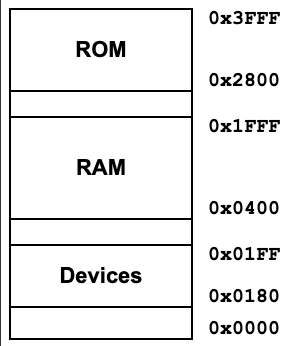
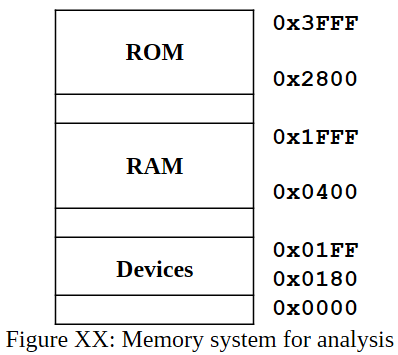
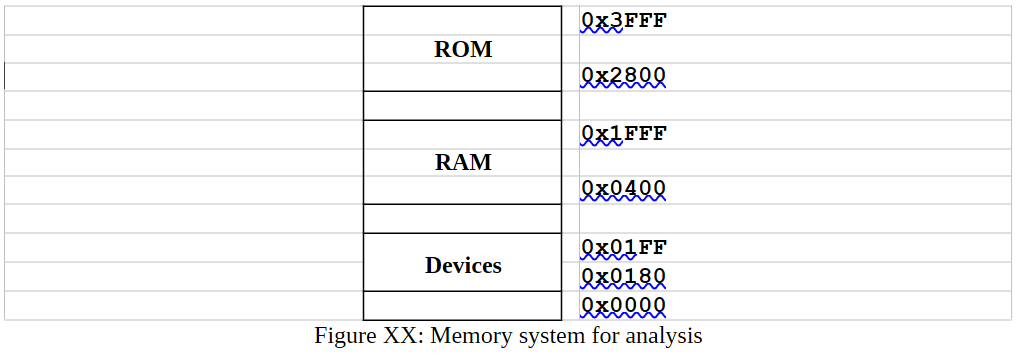
The nice thing about using a table (even an HTML one) is that it will be more screen-readable. Figures will end up having to have alt text which would be quite useless, really. There are probably some other ways to do this, but this table has top and bottom labels for boxes, which may be good (depending on how you want the context). There isn't a header row or header column which may not pass accessibility testing, but it may confuse things to put those headers in (maybe it would be good to put them in as ARIA labels instead - I am less familiar with those).
<table class="memory-table">

        <tbody>

            <tr>

                <td class="block rom-height">ROM</td>

                <td class="label-holder">

                    <span class="label top">0x3FFF</span>

                    <span class="label bottom">0x2800</span>

                </td>

            </tr>

            <tr>

                <td class="block gap1-height"></td>

                <td class="label-holder"></td>

            </tr>

            <tr>

                <td class="block ram-height">RAM</td>

                <td class="label-holder">

                    <span class="label top">0x1FFF</span>

                    <span class="label bottom">0x0400</span>

                </td>

            </tr>

            <tr>

                <td class="block gap2-height"></td>

                <td class="label-holder"></td>

            </tr>

            <tr>

                <td class="block devices-height">Devices</td>

                <td class="label-holder">

                    <span class="label top">0x01FF</span>

                    <span class="label bottom">0x0180</span>

                </td>

            </tr>

            <tr>

                <td class="block gap3-height"></td>

                <td class="label-holder">

                    <span class="label bottom">0x0000</span>

                </td>

            </tr>

        </tbody>

    </table>
And this CSS:
`/* Core Table Styling /
.memory-table {
border-collapse: collapse;
th, td { padding: 0; } / Clear defaults */
}
    /* Left Column: Visual Blocks */
    .block {
        width: 180px;
        border: 2px solid #000000;
        text-align: center;
        vertical-align: middle;
        font-family: Arial, sans-serif;
        font-size: 22px;
        font-weight: bold;
        background-color: #ffffff;
    }

    /* Proportional Heights for the Blocks */
    .rom-height     { height: 80px; }
    .gap1-height    { height: 24px; }
    .ram-height     { height: 100px; }
    .gap2-height    { height: 24px; }
    .devices-height { height: 60px; }
    .gap3-height    { height: 30px; }

    /* Right Column: Address Labels Container */
    .label-holder {
        position: relative;
        width: 120px;
        font-family: 'Courier New', Courier, monospace;
        font-weight: bold;
        font-size: 20px;
    }

    /* Absolute alignment trick directly bound to cell bounds */
    .label {
        position: absolute;
        left: 15px; /* Spaces text away from the right border line */
        white-space: nowrap;
        line-height: 1;
    }

    /* Snaps text center perfectly over the top border line */
    .label.top {
        top: 0;
    }

    /* Snaps text center perfectly over the bottom border line */
    .label.bottom {
        bottom: 0;
    }
`
Generates this: